
Speedtest by Ookla
OoklaTools
4.637.70K Reviews
- Version
- 7.0.7
- Installs
- 100.00M
- Age Rating
- Everyone
Screenshots
Our Review of Speedtest by Ookla
 Analysis by Appyee
If you're anything like me, having a reliable internet connection is essential, whether it's for streaming your favorite shows or crushing it on your favorite multiplayer game. Enter Speedtest by Ookla, my go-to app for checking internet speeds. But is it worth the hype? Let's dive in and see what makes this app tick.
Getting Started with Speedtest by Ookla
First things first, downloading Speedtest by Ookla is a breeze. It's available for both Android and iOS, so no matter what device you’re rocking, you’re covered. Once installed, you’re greeted with a clean and intuitive interface. The main screen has a big "Go" button, just begging to be pressed. And, of course, I obliged.
Features that Stand Out
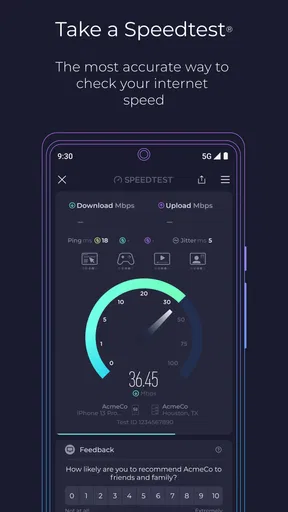
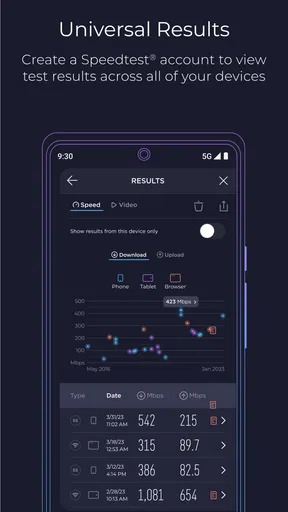
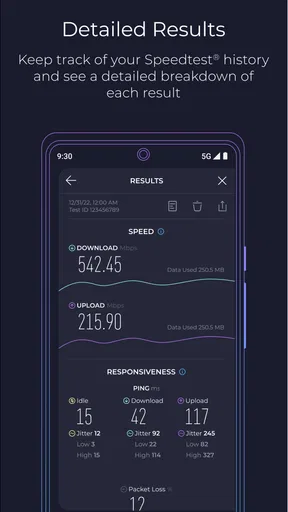
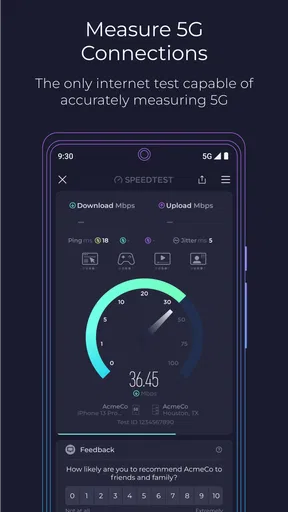
One of the standout features is the app's ability to provide detailed speed test results. With just a tap, it measures your download, upload, and ping speeds. It's like having a mini tech geek in your pocket. The app also logs your test history, allowing you to track your internet performance over time.
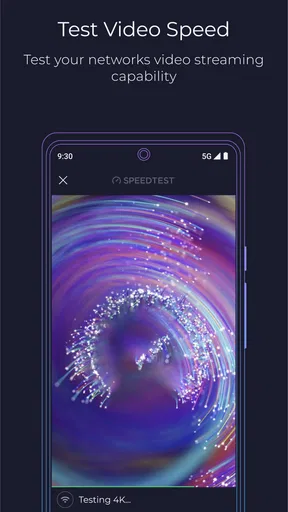
Besides the standard speed test, there's a nifty option to check your video streaming quality. This is perfect for those Netflix marathons, ensuring you won’t be stuck watching your favorite series in pixelated glory.
Performance and Accuracy
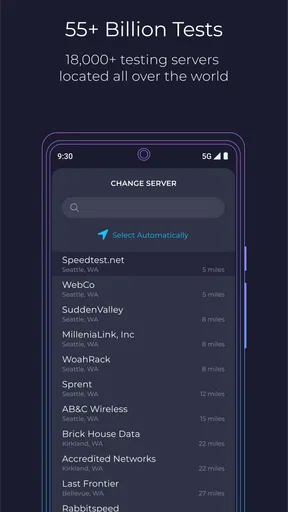
In terms of performance, Speedtest by Ookla is pretty spot on. The app connects to the nearest server automatically, providing quick and accurate results. I've used it in various locations and was impressed with its consistency. Whether I was at home, in a café, or traveling, the app didn’t miss a beat.
Furthermore, the accuracy of the test results seems reliable. It matches up closely with other speed testing tools, giving me confidence in its readings. It's also great to have a visual graph of the speeds over the duration of the test. It’s like watching a tiny, thrilling rollercoaster of data.
Other Perks and Observations
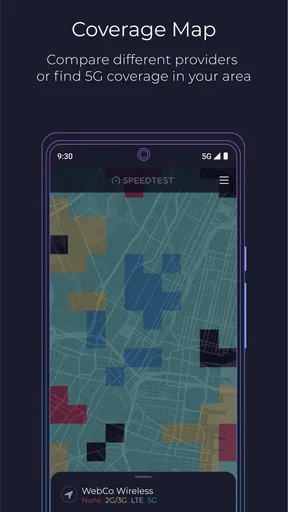
One feature I found particularly useful is the ability to compare your internet speed with global averages. It’s a neat way to see how your connection stacks up against the rest of the world. Plus, the app offers a map of network coverage, which can be pretty handy if you’re planning to move or travel.
Now, let's talk about ads. Yes, there are ads, but they're not overly intrusive. If you really can't stand them, there's an option to go ad-free with a premium subscription. Personally, the free version works just fine for me, but it's nice to have options.
Why You Should Give It a Shot
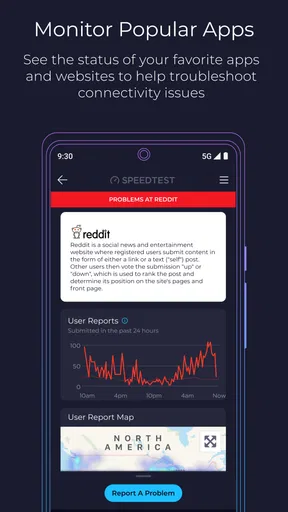
So, why should you download Speedtest by Ookla? It's simple, reliable, and does exactly what it promises. Whether you're a casual internet user or someone who needs to troubleshoot connectivity issues regularly, this app is a must-have tool. Plus, with its straightforward interface and comprehensive features, it's hard to find a reason not to try it.
In conclusion, Speedtest by Ookla is more than just a speed test app. It's a handy companion for anyone looking to keep tabs on their internet performance. So go ahead, give that "Go" button a tap, and see how your connection measures up. You might just find yourself checking your speeds more often than you planned!
Verdict
Strengths of Speedtest by Ookla
- Fast and easy-to-use interface.
- Accurate internet speed results.
- Supports both Wi-Fi and mobile data.
- Detailed network performance metrics.
- History tracking for past tests.
Limitations of Speedtest by Ookla
- Contains in-app advertisements.
- Requires internet access to function.
- Limited features in free version.
- May use significant data for tests.
- Location access needed for best accuracy.
Similar Picks in This Category
View All
Google LLC4.0

Gboard - the Google Keyboard
Google LLC4.5

Google Play services
Google LLC4.3

Google Play Store
Google LLC4.9

Files by Google
Google LLC4.5

SHAREit: Transfer, Share Files
Smart Media4U Technology Pte.Ltd.4.3
Frequently Asked Questions
What is Speedtest by Ookla, and how does it work?
Speedtest by Ookla is a popular application designed to measure your internet connection speed. It provides real-time data on download, upload, and ping rates by connecting to nearby servers. This helps users understand their internet performance and troubleshoot connectivity issues effectively.
Is Speedtest by Ookla free to use, and are there any in-app purchases?
Yes, Speedtest by Ookla is free to download and use. However, it offers a premium version with additional features like ad-free testing, detailed reports, and VPN access. These premium features are available through in-app purchases, but the essential speed testing functionality remains free.
How accurate are the results provided by Speedtest by Ookla?
Speedtest by Ookla is widely regarded for its accuracy and reliability. It uses a network of thousands of servers worldwide to provide precise measurements. However, factors like network congestion, device performance, and server selection can influence results, so it's advisable to perform multiple tests for consistency.
Can Speedtest by Ookla test both Wi-Fi and mobile data connections?
Yes, Speedtest by Ookla can test both Wi-Fi and mobile data connections. It automatically detects the current network connection on your device, allowing you to switch between Wi-Fi and cellular data to assess the performance of each network independently.
Is my data secure when using Speedtest by Ookla?
Speedtest by Ookla prioritizes user privacy and data security. The app collects minimal personal data and uses encryption to protect your information during transmission. Users should review Ookla's privacy policy to understand how data is handled and ensure they are comfortable with the terms.
